Help with Grading Assessments
A smart tool to analyze and grade papers based on your evaluation criteria. Gingo provides personalized grades and feedback that you can review, adjust, and approve before sending them to students.
Request a Gingo demo
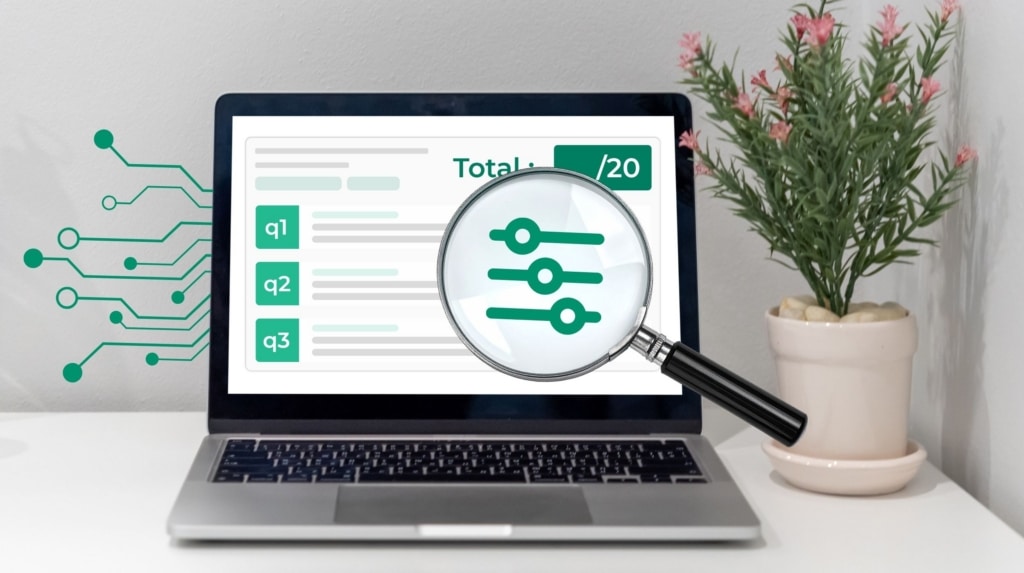
What exactly is Gingo’s proofreading assistance?

An assistant (not a substitute) to grade your exams
Gingo’s grading assistance feature allows you to analyze students’ responses based on the questions, expected answers, grading scale, and evaluation criteria defined when the assessment was created.
For each answer, Gingo offers, among other things:
- an analysis of the student’s response;
- a comparison with the expected answer;
- a suggested grade;
- an explanation of the grading scale;
- personalized feedback and suggestions for improvement.
You’ll receive an initial suggested answer for each response; it’s up to you to adjust it or approve it right away!

To (truly) personalize your feedback
The auto-correction feature included in Gingo helps you, in particular, to:
- grade a large number of exams;
- apply common criteria to all exams;
- and, above all, provide detailed feedback on each question without having to write out the entire response for each student.
Request a Gingo demo

What technologies and methods are used for treatment?
Gingo uses language models hosted in Europe that comply with the GDPR and European data protection standards to analyze students’ responses and suggest corrections based on the criteria defined in the assessment.
Personal data and submitted work remain confidential and are not used to train new AI models.
The treatment may involve, among other things:
Optical Character Recognition (OCR) Technologies
To read and transcribe the answers, even when the answers are handwritten.
Semantic Analysis Models
To understand the meaning of the student’s answers, identify the concepts used, and compare them to the expected elements.
Generative AI Models
To suggest a correction, explain the grade assigned, and generate personalized feedback for each question.
Five automatic steps to help you grade assignments

Reading the exam paper
Gingo collects and interprets the student’s answers, whether they are entered numerically or handwritten.

Analysis of Responses
Responses are analyzed based on the questions, expected answers, criteria, and scoring scale defined in the assessment.

Suggested Correction
Gingo identifies correct answers, errors, or missing information and provides a weighted score based on the grading rubric, response time, and the content of the expected answer.

Feedback Generation
For each question, Gingo generates personalized feedback explaining the answer and suggesting ways to improve.

Teacher Approval
The proposed correction is submitted to the instructor, who must review it, make any necessary changes, and approve it before it is sent to the student.
They are already Compilatio partners















Review, customization, and validation of corrections generated by Gingo
Gingo provides a suggested correction that you should review, adjust if necessary, and approve before sending it to the student.
In particular, check the following:
- the relevance of the analysis;
- the accuracy of the proposed rating;
- taking the student’s reasoning into account;
- the relevance of the feedback and suggestions for improvement.
Like any AI system, Gingo may produce inaccurate interpretations or evaluations, particularly when a correct answer is phrased differently from the expected answer or when a handwritten answer is difficult to interpret.
Teacher validation therefore remains essential: Gingo is a tool to assist with grading, not a tool for making educational decisions.
20 Years of Expertise in Academic Integrity
Since 2004, Compilatio has supported thousands of institutions and millions of students around the world. This real-world experience guides every step of the development of our tools.
Cutting-edge natural language processing technology
Compilatio specializes in natural language processing. Our software is reliable, user-friendly, and secure.
Genuine and Ongoing Support
Compilatio does more than just provide tools. Teachers, students, and educational institutions benefit from personalized support, specialized training, and assistance available year-round.
Do you want to automatically grade and customize your assessments?
Contact us
Be sure to check out our suspicious text detector as well
Plagiarism and AI detection (and much more) for teachers
Analyze your students' work in just a few clicks.
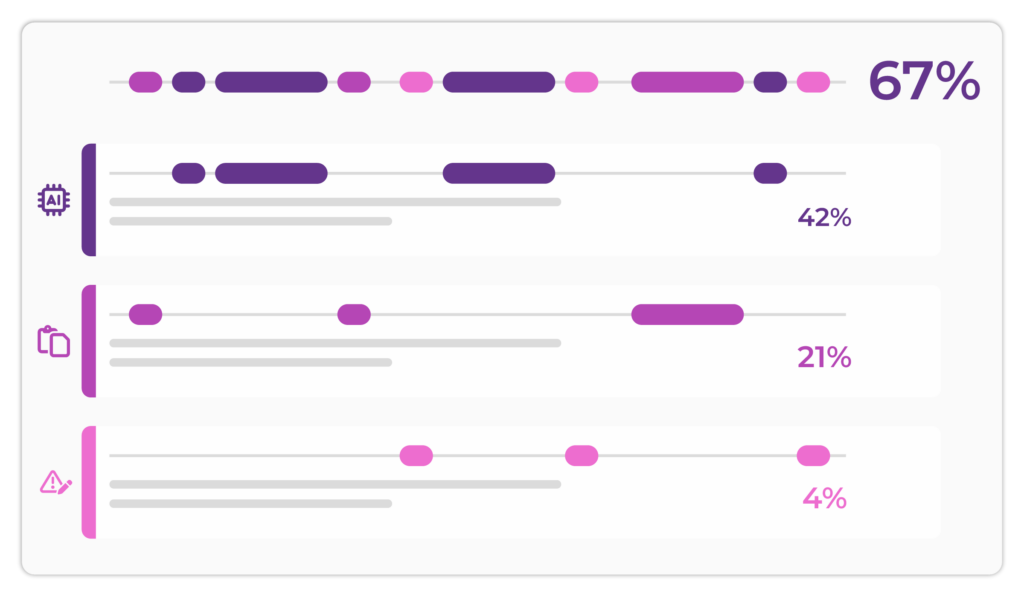
Compilatio Magister detects several types of similarities across billions of sources and identifies content potentially generated by AI.
Your Frequently Asked Questions, Our Clear Answers
As a teacher, is it acceptable to use AI to grade assignments?
Yes, as long as it remains a tool to support your judgment. AI helps analyze and organize corrections, and you can remain the educational decision-maker. At Compilatio, we support teachers and students in using AI ethically and transparently.
Is it possible to grade handwritten exams using Gingo?
Yes, thanks to optical character recognition (OCR) technology, Gingo can read your handwritten papers and automatically convert them into digital text.
This allows you to grade and analyze the papers as if they had been typed directly into the computer.
Are my data and my students’ data protected?
Yes, data protection is one of our top priorities.
All personal data is processed using a sovereign AI system hosted in Europe, in accordance with the GDPR and European data protection standards.
Furthermore, the data provided by users is not used to train new AI systems.
Is Gingo compatible with a learning management system (LMS)?
Gingo can be used via the online application.
Based on your feedback, integrations with major LMS platforms will be offered at a later date (Moodle, Canvas Instructure, Brightspace Desire2Learn, Blackboard, and all LMS platforms that support the LTI standard).