All about the MLA format to cite your sources correctly
There are various citation styles for correctly citing the sources used in a research paper, thesis or internship report. Each citation format provides the author with a set of guidelines to follow in order to properly reference the sources used.
The MLA citation format is one of the most widely used citation standards in the world. It is the second most widely used citation format after APA standards.
What is the MLA format?
Definition of MLA format
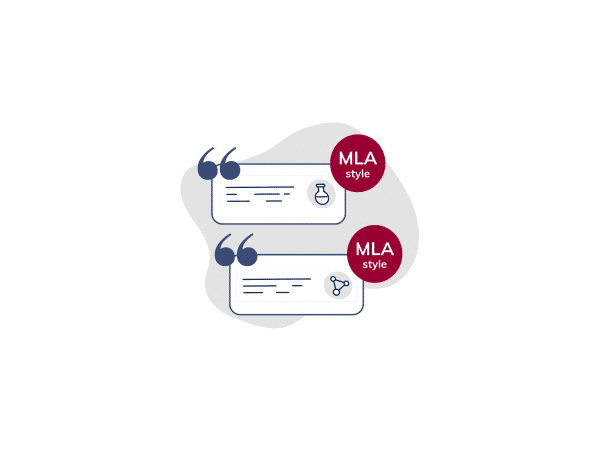
The MLA format is a citation format proposed by the Modern Language Association of America: the main professional association in the USA for specialists in literature and language.
To date, 9 editions of the MLA format have been published. The latest is the ninth edition, published in April 2021.
The MLA style proposes a number of rules and guidelines to be applied for :
- referencing sources in the body of the text,
- referencing sources in the bibliography,
- document formatting (general, cover page and bibliography formatting).
MLA standards: for whom?
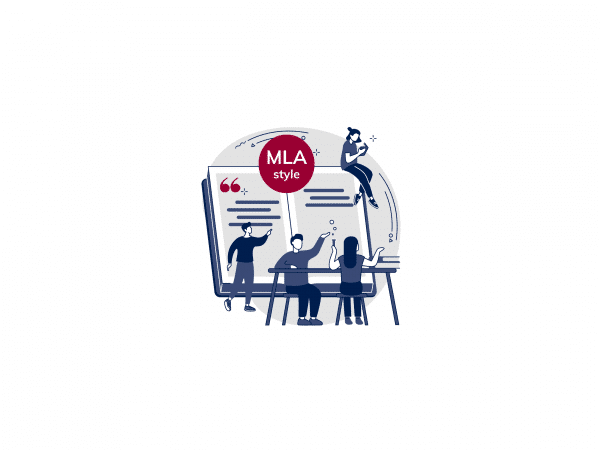
The MLA style is mainly used by students and researchers in the humanities and social sciences.
The MLA format is more widely used in English-speaking countries, where English is the main language of higher education and academic research.
The countries where MLA standards are most commonly used are Canada and the United States.
MLA standards: when should they be used?
The following is a non-exhaustive list of disciplines in which the MLA citation format can be used: literature, communication, philosophy, linguistics, art history, cultural studies, etc.
A single citation format is generally adopted by institutions. Find out about the citation style required by your institution to correctly cite the sources used in your work.
The 9 key elements of the MLA format
- Author: name of the author or authors of the source document. In MLA format, the author’s last name always precedes the first name.
- Source title: this is generally italicised or enclosed in quotation marks, depending on the type of source.
- Publication title: this is mentioned when the source is part of a larger publication. It is given in addition to the title of the source. It should be given in italics.
- Contributors: other people who have contributed to the production of the source, for example translators.
- Version: indicate if there are different versions of the source, for example “4th version”.
- Volume number and publication number: to be indicated if there are several versions and/or numbers of the source, for example “vol. 10, no. 22”.
- Publisher or publishing house: this particularly concerns books. Do not indicate this for magazine articles, newspapers or websites, as they do not have a publisher.
- Date of publication: you can quote the year of publication only or the full date (day, month, year).
- Page number or URL: if you are quoting a specific part of a work, quote the page number. For online sources, quote the URL or DOI (Digital Object Identifier) to enable readers to access it easily online.
How to reference in-text citation using MLA style?
In-text citation in MLA format is a set of indications about the sources used.
The author must indicate the sources even if he is reformulating ideas. Each source in MLA format in the text must refer to a more detailed source in the bibliography. The rule for MLA referencing in the text is to quote the author’s name and, where appropriate, the page number of the source cited.
Citing a single author
To quote a single author in the text, enclose in brackets:
➡️ rule: (Author’s name page number)
➡️ example: (Davis 45)
To cite a single author in the text, in the form of a narrative source:
➡️ rule: according to “Author name” (page number)
➡️ example: according to Davis (45)…

Quoting two authors
To quote two authors in the text, between brackets:
➡️ rule: (Author name 1 and Author name 2 page number)
➡️ example: (Davis and Edward 87)
To quote two authors in the text, as a narrative source:
➡️ rule: according to “Author name 1” and “Author name 2” (page number)
➡️ example: according to Davis and Edward (87)…
Quoting three or more authors
To cite three or more authors in the text, in brackets:
➡️ rule: (Author name et al. page number)
➡️ example: (Anderson et al. 87)
To cite three or more authors in the text, as a narrative source:
➡️ rule: according to “Author name 1” et al. (page number)
➡️ example: according to Anderson et al. (87)…

Citing content without an author
If there is no author, use the title of the source or the name of the organisation (in the case of a website).
To quote content without an author in the text, in brackets:
➡️ rule: (title of source or name of organisation page number)
➡️ example: (“Climate Change” 22)
To cite content without an author in the text, in the form of a narrative source:
➡️ rule: according to “title of source or name of organisation” (page number)
➡️ example : according to “Climate Change” (22)…
Should anonymous sources be referenced?
How do I cite my sources in the bibliography using the MLA standard?
In any editorial work, you must include a bibliography. It groups together all the sources and references used to write your work. It is located at the end of your document.
Each in-text citation referenced in MLA Style must link to a detailed reference in the bibliography. In this way, readers can consult the sources used and expand their knowledge if necessary.
- General rule for MLA referencing in the bibliography:
Author, “Title of source” Title of publication, contributors, version, volume number and publication number, publisher or publishing house, date of publication, page number or URL.
Citing a book
➡️ Rule for citing a book in the bibliography, in MLA format:
Author’s name. Title of the book. Name of publisher, Year of publication.
➡️ Example:
Smith, John. The MLA Guide to Writing. Academic Editions, 2020.
Citing a website
➡️ Rule for citing a website in the bibliography, in MLA format:
Author’s name (if available). “Title of page or article.” Name of website, date of publication (if available), URL.
➡️ Example:
Johnson, Emily. “The Effects of Pollution on the Environment.” EcoPlanet, January 15, 2021, www.ecoplanete.com/pollution-effects
Citing a journal article
➡️ Rule for citing a journal article in the bibliography, in MLA format:
Name of author. “Title of article.” Journal title, publication date, pages.
➡️ Example:
Smith, John. “The impact of technology on education.” Journal of Pedagpgic Studies, February 5, 2021, pp. 12-15.
Citing an article from an academic journal
➡️ Rule for citing an article from an academic journal in the bibliography, in MLA format:
Name of author. “Title of article. Journal title, volume, issue, year, pages.
➡️ Example:
Doe, Jane. “The role of contemporary art in modern society.” Journal of Contemporary Art, vol. 30, no. 3, 2021, pp. 45-59.
MLA style: what layout?
The MLA citation format defines precise instructions for the general layout of the document and the formatting of certain parts of your deliverable.
These instructions mainly concern the following elements: font type and size, margins, line spacing, alignment, heading, title, indent and numbering.
General layout of the document
Here are the rules to follow for the general layout of the document, in accordance with MLA standards:
- Font type and size: use a common, legible font, such as Times New Roman, Arial or Calibri in size 12. Be sure to use a single font throughout the document.
- Margins: apply margins of 2.54 cm on all sides of the document.
- Line spacing: use double line spacing (double spacing) for all text in the document.
- Alignment: justify all the text in your document.
- Heading: include a heading at the top right of each page of your document. The header should contain your name followed by the page number.
- Indent: set an indent of 1.27cm for the first word of each paragraph. You can also use the automatic tab function to create this indentation.
- Page numbering: number the pages of your document starting from page 1 (usually the introductory page). The first page (the cover page) is not numbered.
Make sure you use a single space after punctuation (full stop, comma, semi-colon, etc.) and not a double space. If you include tables or figures (graphs or images), be sure to number them and add explanatory captions if necessary.

Formatting your bibliography
Here are the instructions for formatting your bibliography, while respecting the MLA citation format:
- Title: include a title for the section of your bibliography. The title can be “Bibliography” or “List of references”. Be sure to centre this title and place it at the top of the page.
- Alphabetical order: arrange the sources and references in alphabetical order, according to the author’s surname.
- Indentation: set an indentation of 1.27cm for the second line and lig for the following lines of each source. Please note that you must not set an indentation on the first lines of the references, as these are left-aligned.
- Line spacing: use double line spacing for the entire bibliography (for the entire text of the document).
Remember that the bibliography must start on a new page. You should use italics for the titles of major works (books, films, newspapers, magazines, etc.) and inverted commas for the titles of articles, chapters, songs, etc.
How to create my bibliography?
Formatting the cover page
Here are the instructions for formatting your cover page in accordance with MLA format:
- Author’s first name: place your first name at the top centre of the page.
- Document title: just below your name, centre the title of your document at the top of the page and put it in plain text. Avoid bold, italics and underlining.
- Institution name: indicate the name of your institution below the title of the document.
- Date: at the bottom of the page, right-align the submission date of your document. We recommend the “Month Year” format.
- Margins: set margins of 2.54cm on all sides of your cover page.
- Line spacing: use double line spacing, as for your entire document.
- Numbering: the page should not be numbered. Numbering starts on the 2nd page of the document.
How can MLA standards be applied more easily?
Use an MLA citation generator
To avoid making mistakes when constructing your references, you can use an MLA source generator.
These tools automatically create sources in MLA format, and integrate them into your document: in-text citation or references in the bibliography.
Here are some examples of free MLA citation generators:
Analysing your document with a plagiarism detector
A plagiarism detector can be used to check the similarities and sources used in your documents before you submit them.
By analysing your documents in a plagiarism checker, you can check that you have cited all the sources used. This allows you to add any unmentioned references and be more confident when submitting your work.
Write your student work with peace of mind
With Compilatio Studium, make sure to cite all your sources and submit quality assignments, compliant with academic requirements. This way, you can easily avoid plagiarism penalties and prove the integrity of your work.
To sum up, the MLA format is a citation format that is widely used throughout the world.
This citation style allows you to standardise the references cited in your work and ensure that the reader has easy access to the sources used.
To go further:
Sources used (according to MLA format in bibliography)
- Modern Language Association. MLA Handbook Ninth Edition. MLA, 2021.
- “MLA Ninth Edition: What’s New and Different” PURDUE University, https://owl.purdue.edu/owl/research_and_citation/mla_style/mla_formatting_and_style_guide/mla_changes_9th_edition.html.
Was this article helpful?

Mohamed BADI
Committed to academic integrity and authenticity, I help students and teachers understand and prevent the risks associated with plagiarism and generative AI.